How to Keep Track of Food at Home: A Simple Pantry Inventory System
You buy a jar of cumin, get home, and find two more at the back of the cupboard. A week later a bag of spinach you forgot about has turned to liquid in the fridge drawer. Almost every kitchen has this problem, and it has nothing to do with being disorganized. Food moves fast, and nobody can remember everything they own.
The fix is a simple food inventory: a list of what you have, where it is, and when it needs to be used. Here is a system that takes about an hour to set up and ten minutes a week to keep going.
The short version: count what you have once, zone by zone. Write down the item, the amount, where it lives and its date. Keep the list where you shop from. Put newer food behind older food. Decide in advance when an item goes on the shopping list. Do a ten-minute check before every grocery run.
Why tracking your food is worth it
The USDA estimates that 30 to 40 percent of the US food supply is wasted, and a large share of that happens at home. Most of it is not dramatic. It is the yogurt that expired behind the milk, the second bag of rice bought because you thought you were out, the freezer meal nobody remembered.
A food inventory helps in three ways:
- You stop buying what you already have. Duplicates are the easiest money to save.
- You use food before it goes bad. When you can see what is expiring, you cook it first.
- Shopping gets faster. Your list comes from what you are actually low on, not from memory.
Step 1: Do one full count, one zone at a time
Pick a time when you are not about to shop, so the count reflects a normal week. Work through your kitchen in zones rather than all at once:
- Pantry or food cupboards
- Fridge, including the door and drawers
- Freezer
- Anywhere else food hides: the garage shelf, the snack drawer, the bulk bin under the stairs
For each item, write down four things:
- What it is, specific enough to be useful: "canned chickpeas", not "cans".
- How much: 3 cans, half a bag, 1 kg.
- Where it lives: pantry, fridge, freezer, or a specific shelf.
- Its date, if it has one that matters (more on dates below).
You do not have to track everything. Salt, a bottle of soy sauce that lasts a year, and the emergency birthday candles can stay off the list. Start with the food you most often run out of or throw away. For most homes that means dairy, fresh produce, bread, meat and fish, canned goods, grains and pasta, snacks, and frozen meals.
While you count, throw out anything that has clearly gone bad and group duplicates together. You will probably find a few surprises.
Step 2: Choose where your list lives
The best system is the one you will actually open while standing in the kitchen or the supermarket. Here are the three common options:
| Option | Good for | Watch out for |
|---|---|---|
| Paper list on the fridge or pantry door | Small households, freezer contents, people who like writing | You cannot see it at the store, and crossed-out lines get messy fast |
| Spreadsheet (Excel or Google Sheets) | People who like sorting and filtering, big batch cookers | Awkward to update on a phone with flour on your hands |
| Pantry inventory app | Checking stock at the store, expiration reminders, quick updates | Only works if adding items is fast, so look for barcode scanning |
A good compromise many people land on: a paper sheet taped inside the freezer door for frozen food, and a phone app or spreadsheet for everything else.
If you go with a spreadsheet, these columns are enough: Item, Quantity, Unit, Location, Category, Use-by date, Low point. The last one is explained in step 5.
Step 3: Organize by location, then use first in, first out
Your inventory gets much easier when every item has a home. Group food by where it lives and then by type, for example "Pantry: canned goods" or "Freezer: meat".
Then adopt the habit restaurants use, called first in, first out. When you unpack groceries, put the new items behind or under the older ones, so the oldest food is always the first thing you reach for. It takes a few extra seconds per shop and prevents most "forgotten at the back" waste on its own.
Step 4: Track the dates that actually matter
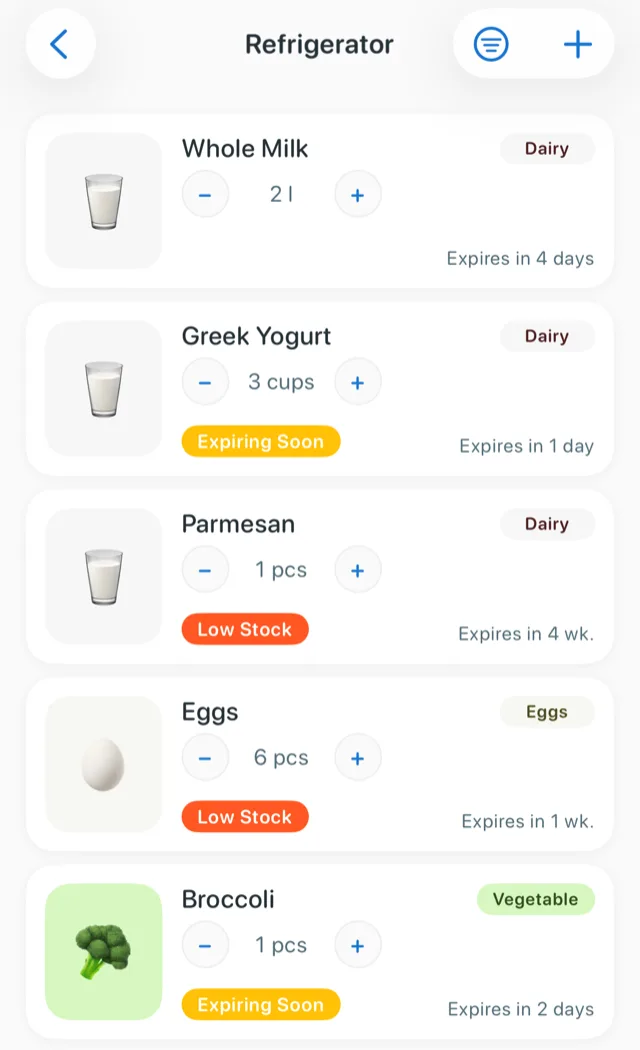
Not every date on a package means the same thing. According to the USDA Food Safety and Inspection Service, product dating is not required by federal regulations except on infant formula, and most dates describe quality rather than safety. Even a "use by" date is defined as the last date recommended for use at peak quality. It still deserves more attention on fresh foods like dairy, meat and fish, where quality drops quickly.
In practice:
- Track dates on perishables: dairy, meat, fish, fresh produce, opened jars and leftovers.
- Note dates loosely on shelf-stable food: a can of beans that is a month past "best by" is usually fine, but you still want to use it before it sits for years.
- Add your own dates to food that has none: leftovers, freezer bags, opened sauces, homemade stock. A strip of masking tape and a marker works perfectly.
If you are unsure how long something keeps, the USDA's free FoodKeeper app lists storage times for hundreds of foods in the fridge, freezer and pantry.
Step 5: Decide when something goes on the shopping list
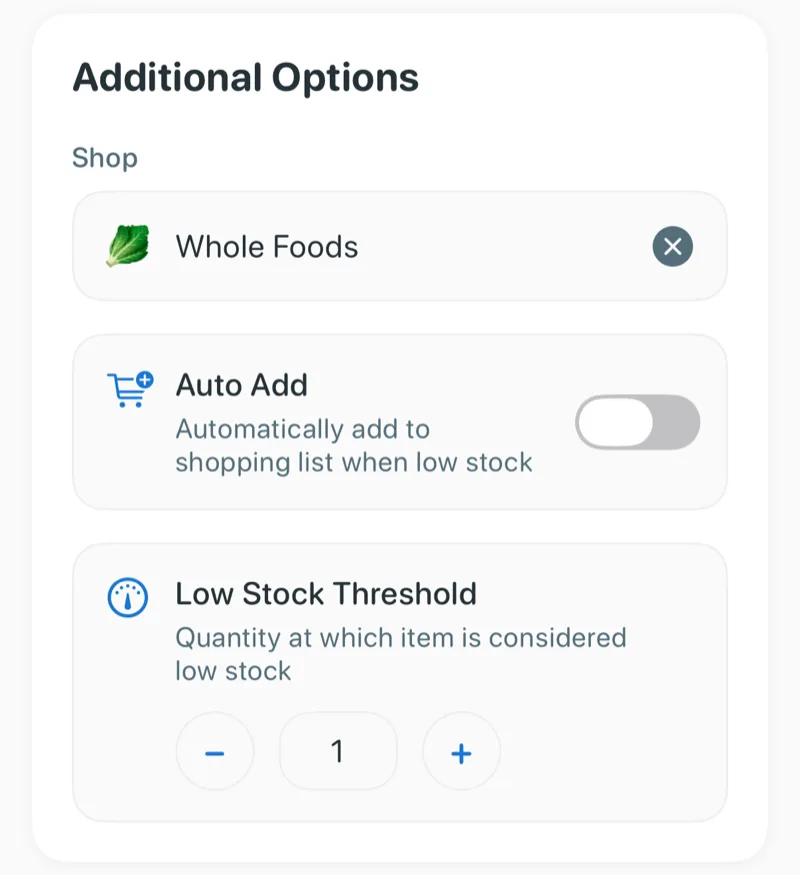
This is the step most systems skip, and it is the one that stops you running out. For each item you buy regularly, pick a low point: the amount at which you add it to the shopping list.
- Pasta: when you are down to 1 bag
- Canned tomatoes: when you are down to 2 cans
- Eggs: when there are 4 left
- Coffee: when the bag is half empty
Restaurants call this a par level. At home it simply means you never open the cupboard on a Sunday night and find no rice. When an item hits its low point, it goes straight onto your shopping list, not into your memory.
Step 6: Do a 10-minute check before every grocery shop
Once the inventory exists, keeping it accurate is a weekly habit, not a project:
- Look at what expires in the next 7 days and plan a couple of meals around it.
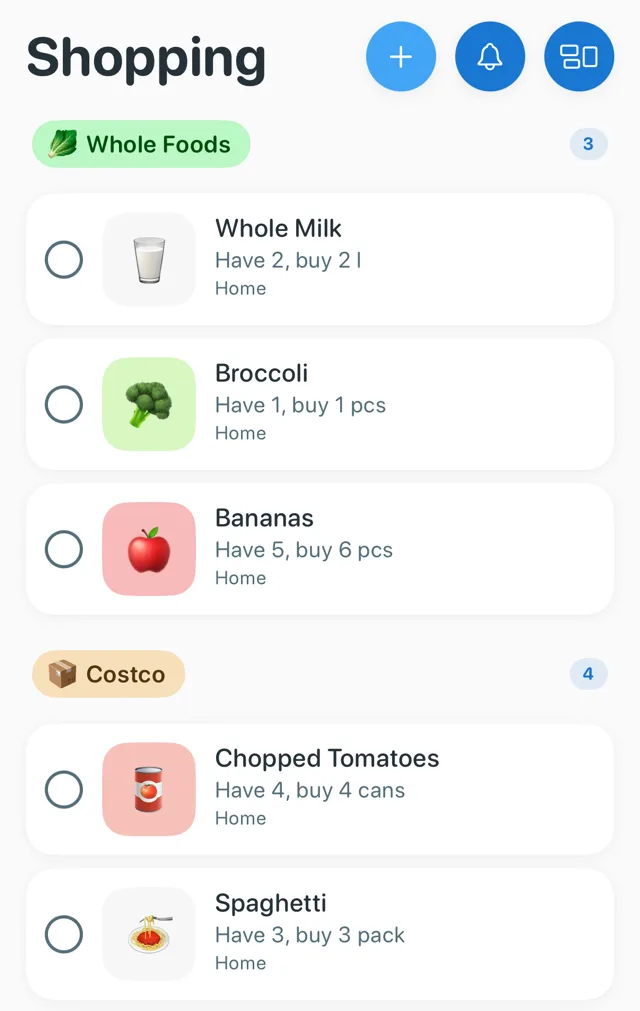
- Check your low items and make sure they are on the shopping list.
- Fix anything that drifted: the extra milk someone bought, the snacks that disappeared.
- Shop from the list, and update quantities when you unpack.
If you skip a week, nothing breaks. Just do the check before your next big shop.
Fridge and freezer tips
Keep the temperatures right. The FDA recommends keeping your fridge at or below 40°F (4°C) and your freezer at 0°F (-18°C). A cheap appliance thermometer will tell you if yours is drifting.
Give the fridge a "use first" spot. One shelf or bin at eye level for anything that needs eating in the next few days. Leftovers and opened items go there.
Label everything that goes into the freezer with what it is and the date it went in. Food kept at 0°F stays safe indefinitely according to the USDA, but quality drops over time, so the date tells you what to cook first.
Keep a freezer list on the door. The freezer is where food disappears longest, because you cannot see into it without letting the cold out.
How to do all of this in Panzy
Panzy is a pantry inventory app for iPhone built around the system above:
- Count fast: scan a barcode and the product details fill in, then add the quantity, location and expiration date.
- Organize by location: pantry, fridge, freezer and more, with filters by location and category.
- Dates handled for you: Panzy reminds you a set number of days before something expires and shows what is expiring soon.
- Low points built in: set a low-stock level on any item, and with Panzy+ low items go onto your shopping list automatically.
- Shop from your phone: group the shopping list by shop or by category.
The free version tracks up to 50 items, which is plenty to start with your most-used food. Panzy+ adds unlimited items, the automatic shopping list, iCloud sync across your Apple devices, and no ads.
Panzy: pantry tracker for iPhone
Track what's in your pantry, fridge and freezer, get a reminder before food expires, and keep a shopping list that knows what you're low on. Free for up to 50 items.

Common questions
How often should I do a full pantry inventory?
Do one full count when you set the system up, then rely on the 10-minute weekly check. A second full count every few months, or before a holiday or a big shop, catches anything that drifted.
What is the easiest way to keep track of food at home?
Start small. Track only the food you most often waste or run out of, keep the list where you will see it when you shop, and do the weekly check. A complete inventory you abandon after two weeks helps less than a partial one you keep.
Should I track spices and condiments?
Only if you keep buying duplicates or running out. Many people track the spices they use weekly and skip the rest.
Is an app better than a spreadsheet for a food inventory?
A spreadsheet is great for planning at a desk. An app is better at the moments that matter: checking what you have while you are at the store, and getting a reminder before something expires. Use whichever you will actually update.